Debian 7 ( 7.8 ) remove unneeded translation and localization files (Estonian)

In case the lang is set, default programs try to translate interface to this language.
Found a few tricks that could change it:
apt to download en translations

# sudo sh -c ‘echo ” Acquire::Languages \”en\”;” > /etc/apt/apt.conf.d/99translations’

delete already downloaded translations:
# rm -rf /usr/share/locale/et
# rm -rf /usr/share/locale/et_EE

This one worked for me, however I am not sure this is the correct way. So, think before you do that.

Update: the correct one is to set LANG for xdm/gdm or whatever you are running in pam.d to be not system wide.
I run xdm, so need to change locale for it.

1. create /etc/locale.conf with LANG=en_US.UTF8
# echo “LANG=en_US.UTF8” > /etc/locale.conf
Note, en_US.UTF8 must be existing system locale

2. change pam.d config for xdm:
# vi /etc/pam.d/xdm
auth required pam_env.so envfile=/etc/locale.conf
instead of envfile=/etc/default/locale

3. restart xdm
# /etc/init.d/xdm stop && /etc/init.d/xdm start

Now should any session be with language that is chosen in /etc/locale.conf

https://www.debian.org/doc/manuals/debian-reference/ch08.en.html#_the_locale

Posted in Administration, Linux/Unix | Leave a comment

choosing default editor in Debian (7.7)

Always after new debian install I forget a command to configure default editor:

update-alternatives –config editor

Then choose default editor. If missing from list, install it first.
My option “vim” is available by installed default.

Posted in Administration, Linux/Unix | Leave a comment

debian sysV scripts adding to startup and removing from startup

I always forget following command.
Works on old sysV init type init system.
To add service into startup on nginx example:

# update-rc.d nginx defaults

to remove service from startup:

# update-rc.d -f nginx remove

https://www.debian-administration.org/article/28/Making_scripts_run_at_boot_time_with_Debian

Posted in Administration, Linux/Unix | Leave a comment

enable windows time server on w7, w8, w8.1

It is sometimes require to run time server on windows (usually for nvr soft, for ONVIF cams)

create a timeserver_enable.bat file with following content inside:

@echo Enabling time server, require to run as Admininstrator
@echo Changing registry values to enable time server and set it autostart (delayed)
reg add “HKEY_LOCAL_MACHINE\SYSTEM\CurrentControlSet\Services\W32Time” /v “Start” /f /d “2” /t REG_DWORD
reg add “HKEY_LOCAL_MACHINE\SYSTEM\CurrentControlSet\Services\W32Time” /v “DelayedAutostart” /f /d “1” /t REG_DWORD
reg add “HKEY_LOCAL_MACHINE\SYSTEM\CurrentControlSet\services\W32Time\TimeProviders\NtpServer” /v “Enabled” /f /d “1” /t REG_DWORD
reg add “HKEY_LOCAL_MACHINE\SYSTEM\CurrentControlSet\services\W32Time\Config” /v “AnnounceFlags” /f /d “5” /t REG_DWORD

@echo enable its ports on firewall from all profiles
netsh advfirewall firewall add rule name=TimeServer dir=in profile=any localport=123 protocol=udp action=allow

@echo restartng Windows Time service
net stop w32time
net start w32time

pause

thanks: http://russlescai.wordpress.com/2013/01/07/setup-windows-8-as-ntp-time-server/


Posted in Administration, windows | Leave a comment

win 2012 my computer (This PC) icon on desktop

This gallery contains 6 photos.

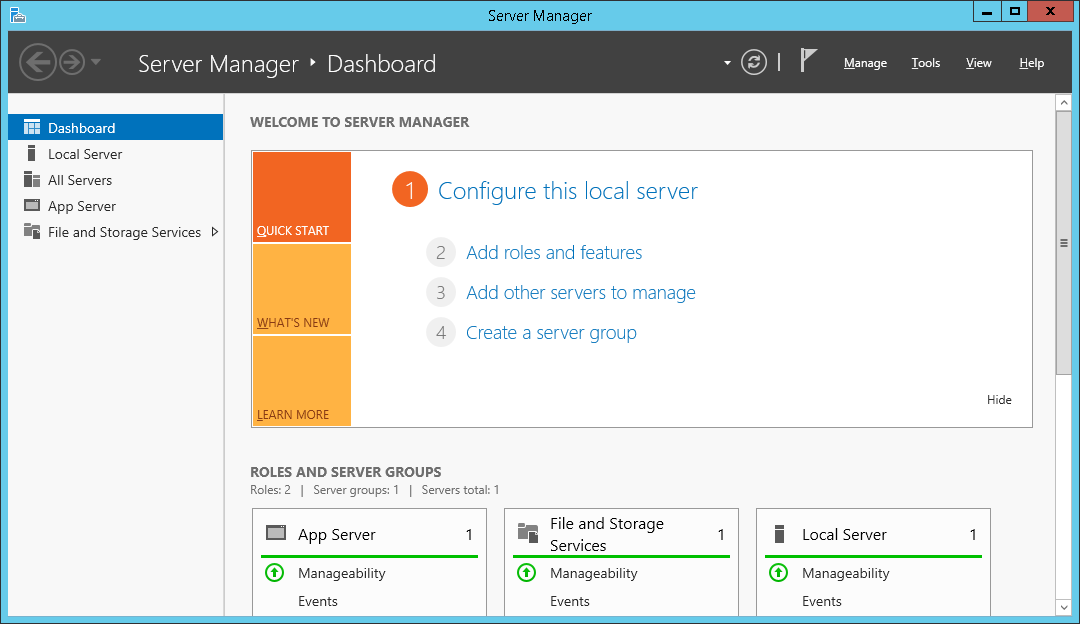
To add my computer and other icons you need on win 2012 server “Desktop Experience” in  “User interface and infrastructure” should be selected. 01. server manager, dashboard -> next 02. add roles and features wizard -> next 03. select server -> next … Continue reading

More Galleries | Leave a comment

Windows 8 to start into desktop

Windows 8 boots to metro. But if it is needed to boot to desktop?

One of ways could be suggested is just to startup old fashioned ToggleDesktop in startup of windows start menu.

Open notepad and paste there

[Shell]
Command=2
IconFile=explorer.exe,3
[Taskbar]
Command=ToggleDesktop


save it in C:\Users\<user-name>\AppData\Roaming\Microsoft\Windows\Start Menu\Programs\Startup  as the ShowDesktop.scf

Now w8 boots into desktop directly, however there is small delay after login.

Posted in Administration, windows | Leave a comment

making bootable w7 or w2016 usb flash drive

Its easier than I thought. We require at least 4gb empty flash drive.

first run cmd-> disk part

list disk
select disk Z
clean
create partition primary
format fs=fat32 quick
active
exit

Z is our empty flash drive

Now copy files from root folder from boot dvd of windows to flash root folder and boot from created flash drive.

 
For windows 2016 its required ntfs instead of fat32, actually if the stick is already formatted then just set it to active:

list disk
select disk Z
select partition 1
active
exit

Z is our flash drive
 

Posted in Administration, windows | Leave a comment

mirroring under linux debian 6.0.7

Requested reliability.

Need some way to boot system even with faulty drive.

Raid1, with expansion ability is on target. Debian 6.0.7 installation cd supports installing system to software raid, so will use it.

Tested: Debian 6.0.7 on 2x 500GB hdd. Check if the disks have advanced format and make partitions aligned with advanced format (block number where any partition starts must be devidible by 8).

Installation progress:

100GB for root (/)

8GB for swap (/)

I created md0 and md1 during installation of system.

When install finished, only 1 disk has correct MBR to boot system. If it will fail to boot, system will not boot from other disk. I will check what disks are configured to boot in grub, and then install grub on them.

root@server2:~# cat /boot/grub/device.map
(hd0) /dev/disk/by-id/ata-WDC_WD5000AAKX-753CA1_WD-WMAYUP701051
(hd1) /dev/disk/by-id/ata-WDC_WD5000AAKX-753CA1_WD-WMAYUP733701
root@server2:~# ls -alh /dev/disk/by-id/ata-WDC_WD5000AAKX-753CA1_WD-WMAYUP701051
lrwxrwxrwx 1 root root 9 Apr 3 14:44 /dev/disk/by-id/ata-WDC_WD5000AAKX-753CA1_WD-WMAYUP701051 -> ../../sdb
root@server2:~# ls -alh /dev/disk/by-id/ata-WDC_WD5000AAKX-753CA1_WD-WMAYUP733701
lrwxrwxrwx 1 root root 9 Apr 3 14:44 /dev/disk/by-id/ata-WDC_WD5000AAKX-753CA1_WD-WMAYUP733701 -> ../../sda

grub-install /dev/sda #install grub on sda disk

Installation finished. No error reported.

grub-install /dev/sdb #install grub on sdb disk

Installation finished. No error reported.

Now system can be booted from both drives.

If hard drive is faulty and replaced with a new one, should be boot order specified to boot from another older drive due no mbr is not yet installed on new drive.

Now, assume we create new array from  2 newly instlalled drives. Assume they are /dev/sdc and /dev/sdd.

1. Make partition on /dev/sdc :
parted /dev/sdc
(parted) mklabel gpt
(parted) mkpart primary ext4 2048s 100%
2048s means start sector, 100% is full available length used.

2. sfdisk -d /dev/sdc | sfdisk /dev/sdd

3. mdadm  –create /dev/md3 –level=1 –raid-devices=2 /dev/sdc1 missing

4. mdadm  /dev/md3 -add /dev/sdd1

5. mv /etc/mdadm/mdadm.conf /etc/mdadm/mdadm.conf.backup

6. mdadm –detail –scan > /etc/mdadm/mdadm.conf

7. mkfs.ext3 /dev/md3

8. watch -n 5 cat /proc/mdstat

When it is complete, you have working raid1 md3 partition.

Update 20170509: good to have monitoring aswell, so good to have

# echo MAILADDR mailaddress@mailhost.com >> /etc/mdadm/mdadm.conf

and start monitoring tools. In debian 8 jessie with systemd mdmonitor.service is run automatically if system raid was setup during os install. Check it with:

# systemctl status mdmonitor.service

In case need to start mdmonitor.sertice after mail address added to mdadm.conf

# systemctl start mdmonitor.service

Posted in Administration, Linux/Unix | 2 Comments

Aligned advanced format partition creation using gparted under debian 6.0.7

This applies when new uninitialized drive used.

parted

(parted) print

Error: /dev/sdb: unrecognised disk label

(parted) mklabel gpt

(parted) unit S

(parted) mkpart Name ext3 2048 100%

(parted) align-check optimal 1

1 aligned

Then format must be performed and partition ready to use.

mkfs.ext3 /dev/sdb1


Posted in Administration, hardware, Linux/Unix | Leave a comment

netsh adding allowed tcp port to win7 firewall

Object: Windows 7 64bit sp1 with all current updates as of (see post date)

Found the internet articles how to add ports, but they were useless. Even official kb. Seems some update changed behavior of netsh.

So, I wanted to add an mstsc port to be open in all profiles in firewall:

netsh advfirewall firewall add rule name=mstsc3389 dir=in profile=any localport=3389 protocol=tcp action=allow

Remember to do that from elevated cmd if UAC is enabled.

Update: It also works with win8pro

Posted in windows | Leave a comment