mount image created with dd in linux

You’ve got the first part:
1)
fdisk -l /path/to/image
to find the start offset. Take that number, multiply by 512, and you’ll get the offset option to mount. So, for sda1 in your case, 5 * 512 = 2560. Then run the mount:
mount -o loop,offset=2560 -t auto /path/to/image.dd /mount/point

Update. Actuall this way will work for both mbr and gpt drives:
—- or in case of bigger than 2tb drives. Read 1.1) —–

1.1)parted /path/to/image
must set Bytes instead of cylinders : unit B
print

lets say start is 1048576, then this should be an offset to be specified.

Posted in Administration, Linux/Unix | Leave a comment

mounting in linux the way users had full access to it

Seems simple enough, however I decided to create note for that.

For example, /etc/fstab has:

/dev/disk/by-id/scsi-SATA_Hitachi_HUA7230_MK0371ZZZZZZZZZ-part1 /mnt/3tb ext3 user 0 0

So, any user can mount it. But you must permit for mounted system to have permission. Lets see listing:

username@somehost:/mnt/3tb$ ls -alh
total 24K
drwxrwxr-x 3 username root 4.0K Feb 14 12:28 .
drwxr-xr-x 9 root root 4.0K Dec 27 2011 ..
drwx—— 2 root root 16K Feb 14 12:28 lost+found

The . directory (not mountpoint directy itself) should be given chmod 775 . and chown username .  for having correct permission rules.


Posted in Administration, Linux/Unix | Leave a comment

Rosslare Axtrax manual remove

That is astonishing system: once installed it is hard to uninstall!

Software used:

  • W7-32bit: uac off
  • mssql2008 express with tools: mixed authentication, however SA user not working

UPD: SA SQL user in newer axtrax non-ng installation has different password, which is reflected in docs. See readme file included in axtrax download package.

  • axtrax 1.0.4.25

Imagine axtrax already installed, then it should contain sql2005. During uninstall axtrax ALWAYS asks for sa authentication even if it was not selected during install.

I found following workaround, which cannot be used as official method though.

  • stop sql services
  • Uninstall ms sql including Instance
  • delete or rename program files\microsoft sql server
  • delete or rename program files\rosslare
  • open regedit and delete all values that include Rosslare and Axtrax. This step should be very carefully thought before deleting, because it is necessary to delete some keys not only values.
  • reboot
  • install mssql2008
  • install axtrax
Posted in Uncategorized | Tagged , , | Leave a comment

Evidence Logs access remotely

Evidence beginning from version 2.1.x started to save its activity in windows event logs.

To see these logs remotely you can connect to the PC by management console. Just select action -> connect to computer.

User, which you connect under, must have rights to see these logs. I use administrators group account for that.


Posted in video surveillance, windows | Tagged , , , | Leave a comment

WordPress 2m upload limit

default wordpress limit is 2m. But this is not a wordpress limit.

Changed on debian:

$ cat /etc/php5/cgi/php.ini | grep post_max
post_max_size = 8M

In the server context:

$ cat /etc/nginx/sites-enabled/default | grep max
client_max_body_size 8M;

restart:

# sh /etc/init.d/php5-cgi restart

# /usr/sbin/nginx -s reload

materials used:

http://www.cyberciti.biz/faq/linux-unix-bsd-nginx-413-request-entity-too-large/

http://wiki.nginx.org/HttpCoreModule#client_max_body_size


Posted in Administration, Linux/Unix | Tagged , | Leave a comment

Dvars vhl recover files after power failure

Dvars vhl series has a problem that when power fails, then it most probably will loose materials saying hdd needs to be formatted to continue.

If materials are critical then the workaround exists. We need:

  • Same size drive or any other storage that has enough space for materials
  • Pc with windows and CMS from dvars vhl cd installed
  • Any linux livecd (ex: partedmagic)

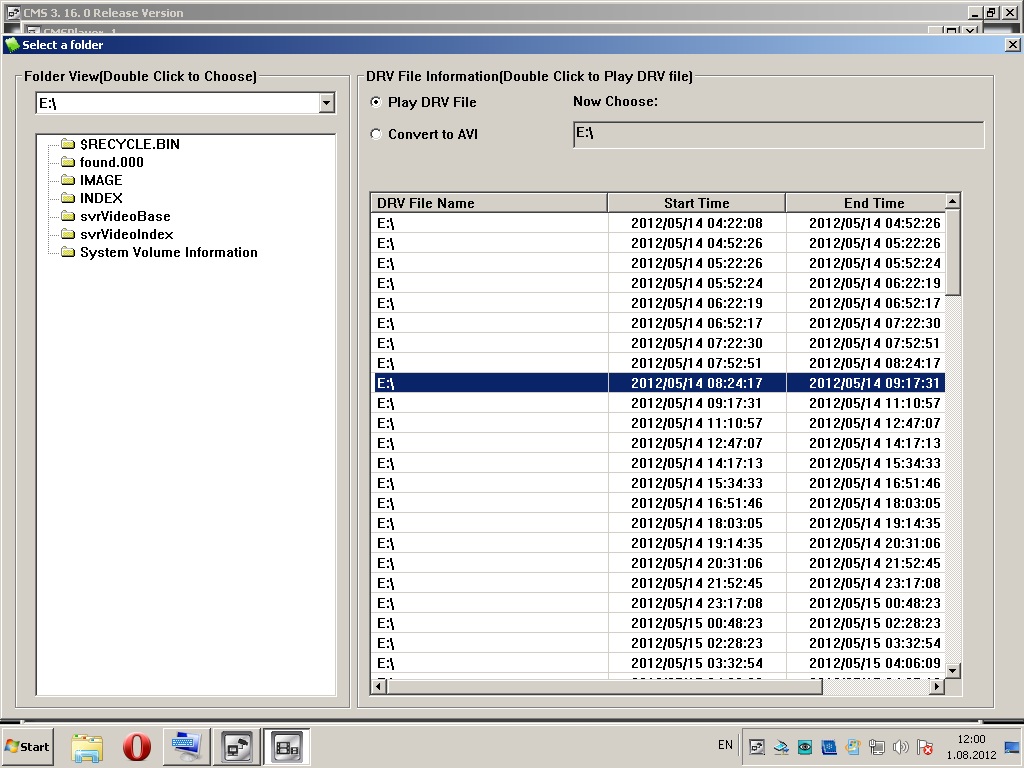
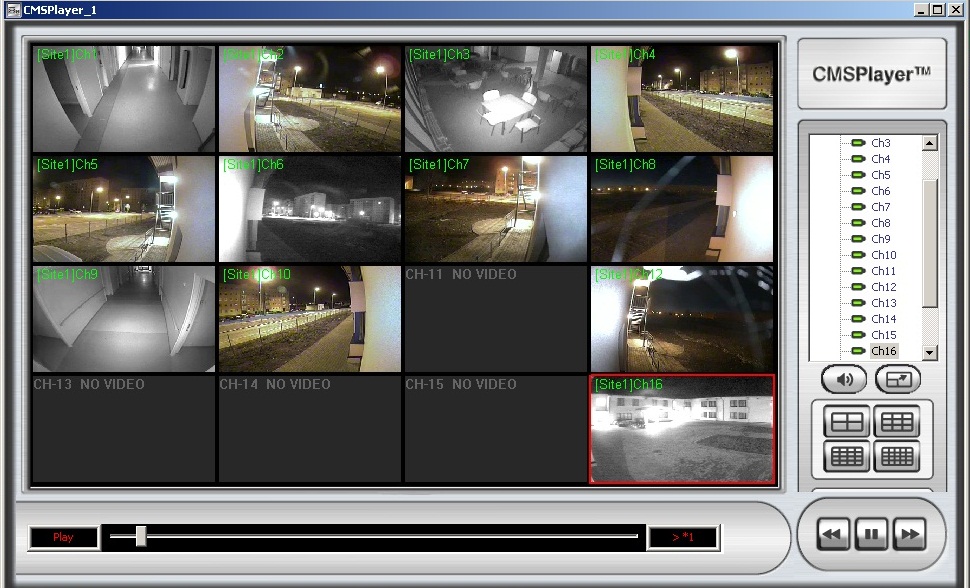
It is suggested to use Linux live cd instead of ext2fs windows driver due to some bugs in windows driver(blue screen is OK behavior of)  and no needed functionality(fsck). Put drive to pc and start livecd. Initiate fscheck (fsck -yf /dev/DeviceName). When complete, copy IMAGE dir into empty drive. After that in windows CMS should be started, archive player selected. Materials are ready to playback, however not really convenient to browse these materials.

Posted in video surveillance | Tagged , , , | Leave a comment

Using smarthost to send local mail to external accounts

While blog creation I meet  a requirement to send mails from server which runs this blog to outside for registration and other purposes.

Not to forget that I made this post. Feature called Smarthost.

I run debian 6.0.5 with default Exim MTA and think of using gmail as smarthost account.

# dpkg-reconfigure exim4-config

  • set “mail sent by smarthost; received via SMTP or fetchmail”
  • set outgoing smarthost to “smtp.gmail.com::587” (notice double colon)

other settings may be default

then need to specify:

# vi /etc/exim4/passwd.client

*.google.com:Credentials@gmail.com:Passwd

run following after that:

# chown root:Debian-exim /etc/exim4/passwd.client && chmod 640 /etc/exim4/passwd.client

# echo ‘LoginAcc:  Credentials@gmail.com ‘ >> /etc/email-addresses

# update-exim4.conf && invoke-rc.d exim4 restart && exim4 -qff

see the logs if something is wrong:

 /var/log/exim4/mainlog 

 /var/log/exim4/paniclog

Create a forward file  for forwaring all local email to predefined account.

# echo   Credentials@gmail.com > ~LoginAcc/.forward

test sending e-mail

 $ mail -s “test message” LoginAcc < /dev/null

External sources used: http://wiki.debian.org/GmailAndExim4

Posted in Administration, Linux/Unix | Tagged , , , | Leave a comment

Testmsg

test

Posted in Uncategorized | Tagged | Leave a comment